
If you are searching for how to get my email back, start with one safe action: stop guessing passwords and open the email provider's official sign-in page or app. Do not use a recovery link sent by a stranger, a social media message, or a search ad that looks suspicious. Losing access can feel urgent because email often controls banking alerts, shopping accounts, medical portals, school messages, and password resets. The situation is usually recoverable, especially when you slow down and follow the provider's process.
Before changing anything, ask what actually happened. Did you forget the password, lose access to an old phone number, get locked out after too many attempts, or notice messages you did not send? Each situation calls for a slightly different next step. If someone may have entered the account, use a trusted phone or computer, not a device that behaves strangely.
Start with the official recovery process
The safest answer to how to get my email back usually begins with the provider's account-recovery page. For Gmail, start through Google Account recovery. For Outlook or Hotmail, use Microsoft's account recovery process. Yahoo, AOL, iCloud Mail, and other providers have their own recovery pages. Type the known website address yourself or open the provider's app rather than clicking an unexpected email.
Enter the information you can provide accurately. This might include a previous password, an alternate email address, a recovery phone number, a recent contact, or an approximate date when the account was created. Do not invent details just to fill every box. A genuine but incomplete answer is more useful than a series of guesses that triggers additional security checks.
If the service offers a choice between a text message and a backup email, select a method you still control. Check the spelling of the recovery address carefully. Attackers sometimes change one character in an address so a code goes somewhere else. Never share a verification code with a caller, even if that person claims to work for Google, Microsoft, Apple, or your internet provider.

If you suspect the account was taken over
When asking how to get my email back after a possible takeover, treat the account as an incident, not merely a forgotten password. Save evidence before deleting it. Take screenshots of unfamiliar sign-in alerts, changed recovery information, sent messages, forwarding rules, and emails that mention purchases or password changes. Write down the date, time, device, and location shown in each alert.
Once you regain access, change the password immediately from a trusted device. Make it long and unique, with at least 14 characters when the service permits. A password manager such as 1Password, Bitwarden, or the manager built into Apple or Google can create and store a different password for every account. Do not reuse the recovered email password at your bank, retailer, or social media account.
Review the account's security page. Remove unfamiliar devices and active sessions, confirm the recovery phone and backup email, and turn on multifactor authentication. An authenticator app or security key is generally stronger than text messaging, although text codes are still better than no second step. Check for automatic forwarding, filters, delegated access, and connected apps you do not recognize. A hidden forwarding rule can quietly send future mail to someone else.
Protect the accounts connected to email
Email is often the front door to other accounts. After you recover it, review recent messages for password-reset notices, shipping confirmations, payment alerts, and requests to change a phone number. Contact a bank or card issuer using the number on the back of the card or its official app, not a number inside an alarming message.
Change passwords for accounts that used the same password or that show suspicious activity. Prioritize financial accounts, health portals, tax services, mobile-carrier accounts, cloud storage, and shopping accounts with saved payment cards. Ask the carrier whether an unauthorized SIM change or number transfer occurred if your phone suddenly lost service. You do not need to close every account in a panic; focus on accounts connected by the compromised inbox.
Tell close contacts that your email may have been misused. A simple message works: “I am recovering my email account. Please ignore recent requests for money, gift cards, passwords, or verification codes from me until I confirm it is secure.” This gives family members a clear warning without turning the situation into a dramatic announcement.
What to do when recovery fails
If the first attempt does not work, pause before trying repeatedly. Providers may temporarily limit recovery attempts, and repeated guesses can make the process harder. Use a familiar device, home internet connection, and browser if possible. Turn off a virtual private network during recovery if it makes your location appear unusual, then turn it back on later if you normally use one.
Search the provider's official help center for an account-recovery form or support channel. Be cautious with paid “account recovery” services found in search results. Legitimate providers generally do not ask for your email password, remote access to your computer, cryptocurrency, gift cards, or a fee to reveal a verification code. If a person promises instant access, that is a strong reason to stop communicating.
If the address belongs to an employer, school, healthcare organization, or internet provider, contact its administrator through a known phone number. Personal email services may have limited human support, so preserve every case number and recovery email. Keep a paper note with the provider, date, and next action; stressed people make fewer mistakes when the plan is visible.

Help a parent or spouse without taking over
A family member who asks how to get my email back may already feel embarrassed. Start with reassurance: “We can work through this one step at a time. You did the right thing by asking before responding.” Sit beside them while they open the official app or website, but let them see each action. This builds a repeatable skill instead of creating a new dependency on one person.
Ask permission before accessing messages or changing settings. If they need ongoing help, discuss the provider's legitimate family, delegate, or recovery-contact options. Do not write their password on a shared note or send it through ordinary text messages. A password manager with a properly configured emergency or family feature is safer than a spreadsheet stored in email.
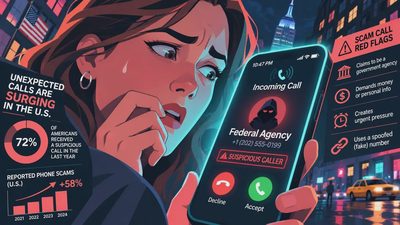
For an older parent, make a small incident card with the provider's name, recovery phone, backup email, and the trusted support number. Leave out the password itself. Add one sentence in large print: “No legitimate support agent needs my password or a verification code.” That reminder can interrupt a scam call before money or access is lost.
Prevent the next lockout
After learning how to get my email back, spend ten minutes preventing a repeat. Confirm that recovery information is current, store backup codes somewhere private and offline, and add a second trusted recovery method if the provider allows it. Review the account once a year, especially after changing phone numbers, replacing a device, or separating from a former household member.
Use a unique password and multifactor authentication, keep your phone and computer updated, and sign out of old devices you no longer own. Teach children and relatives that urgent messages deserve a pause, not an immediate click. A family rule such as “we verify money requests by phone” is more useful than a complicated lecture about hackers.
If you remember only one principle, remember this: take the next safe step. Open the official recovery page, preserve evidence, secure connected accounts, and ask for help without shame. Email access is important, but a calm sequence gives you control again.