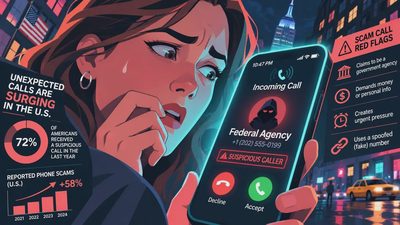
If you are searching for what to do if i click a scam link, start with one simple action: stop interacting with the page. Do not enter more information, download a file, call a number shown in the message, or reply to the sender. Closing the tab does not guarantee that nothing happened, but it prevents a small mistake from becoming a larger one.
A clicked link is an event to assess, not proof that your phone, identity, or bank account has been taken over. The likely risk depends on what happened next. You might have opened a harmless fake login page, entered a password, installed an app, approved a notification, or shared payment details. Take the next safe step in order.
What to do if i click a scam link in the first five minutes
Close the browser tab or message. If a pop-up claims your device is infected, do not call its phone number or grant remote access. On a computer, close the window normally; if it will not close, use the browser's quit command or restart the device. On a phone, swipe away the browser or messaging app. Do not keep testing the link to see whether it still works.
Next, write down what you remember while it is fresh. Save the message, sender address, website address, time, and any screen that showed a warning. Take a screenshot if you can do so safely. Do not forward the link to a spouse or parent for convenience. Send a description instead, because forwarding can spread the trap.
If you only opened the page and entered nothing, your immediate risk is generally lower. Update your browser and device, then run the built-in security scan available on your computer or phone. Remove any download you do not recognize, but do not open it first to identify it. If the page asked you to install software, treat that as a more serious incident.
If you entered a password, protect the account first
The answer to what to do if i click a scam link changes when you typed a password. From a trusted device, go directly to the real service by typing its address yourself or using its official app. Change the exposed password immediately. If you reused it anywhere else, change those accounts too, starting with email, banking, payment services, and your mobile carrier.
Use a new password that is not a variation of the old one. A password manager such as 1Password, Bitwarden, or the password manager built into Apple or Google can create and store unique passwords. Turn on multifactor authentication, preferably with an authenticator app or security key when available. Text-message codes are still useful, but they are not the strongest option for every account.
Review recent sign-ins, devices, recovery email addresses, forwarding rules, and connected apps. Sign out of unfamiliar sessions. For an email account, check whether the attacker created a forwarding rule that copies messages elsewhere. A stolen email account can become a master key for password resets, so secure it before less important accounts.
A useful script for a family member is: “You are not in trouble. We are going to close the page, save the message, and change the important passwords from the official app.” Calm language helps people share exactly what they entered instead of hiding the detail that determines the response.
What to do if i click a scam link and shared money information
If you entered a debit card, credit card, bank account, or Social Security number, contact the organization using the number on your card, a statement, or its official website. Do not use contact information from the suspicious message. Tell the representative exactly what information was shared and when. Ask whether the card should be frozen or replaced, whether transactions can be monitored, and what dispute or fraud process applies.
For a bank account, ask about placing a fraud alert, changing online banking credentials, and reviewing transfers or new payees. Watch the account closely for unfamiliar activity. A credit card often offers stronger dispute protections than a debit card, but prompt reporting still matters. If money was sent by wire, payment app, gift card, or cryptocurrency, contact that service immediately and ask whether the transaction can be stopped or reversed.
If personal information was exposed, visit IdentityTheft.gov for federal recovery guidance. You can also place a fraud alert with one nationwide credit bureau, which requires that bureau to notify the others, or consider a credit freeze with each bureau. A freeze can help prevent new credit accounts but does not replace monitoring existing accounts.
Check the device without making the situation worse
People often ask what to do if i click a scam link because a page displayed a frightening virus warning. A webpage cannot reliably diagnose your entire device through a pop-up. Do not pay a stranger to “clean” the computer, install a remote-support tool, or provide a one-time security code. Those requests are common follow-up tactics.
Look at the device's installed apps, browser extensions, downloads, and notification permissions. Remove anything you installed during the incident and run the operating system's current security tools. Install updates from the device settings, not from a link in the message. If the device behaves strangely, disconnect it from Wi-Fi or cellular data and contact the official support channel for the device maker or a trusted local technician.
Signs that deserve prompt attention include a new app you did not install, repeated password-reset messages, unfamiliar sign-ins, disabled security software, unexpected remote-control activity, or files being changed. A single browser warning is not the same as confirmed malware. Proportionate action is better than panic, especially when helping an older parent who may already feel embarrassed.
Report the scam and preserve your household playbook
Report the message through the platform's built-in tools, such as “Report phishing” in an email service or “Report junk” in a messaging app. You can report fraud to the Federal Trade Commission at ReportFraud.ftc.gov. If money or identity information was stolen, keep confirmation numbers, screenshots, bank notes, and dates in one folder. This evidence makes later conversations faster.
For families, create a paper incident card with the bank's official phone number, carrier contact, email recovery steps, and the names of people authorized to help. Store it somewhere private, not beside a computer. Agree that anyone can call the household safety person after clicking a suspicious link without being scolded. Shame delays reporting; a routine gets people moving.
The best prevention is not perfect suspicion. It is a pause before action: open the official app, verify unexpected requests through a separate channel, and never share a one-time code with someone who contacted you first. If you are still wondering what to do if i click a scam link, return to the sequence: stop, save evidence, secure accounts, contact the right organization, and monitor. Take the next safe step.