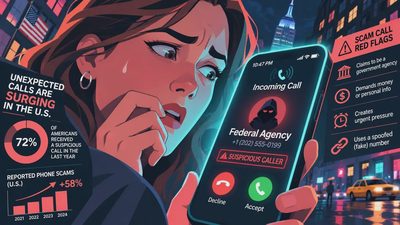

If you are searching for what to do if phone is hacked?, start with one calm action: stop using the phone for sensitive tasks until you know what changed. Do not panic, argue with a family member, or immediately erase everything. A strange pop-up, drained battery, unfamiliar app, or locked account can have several explanations, including a weak password, a scam, a software bug, or a compromised account. Treat the concern seriously while gathering facts.
If the phone is actively showing banking transactions, sending messages you did not write, or displaying a demand for payment, move to a different trusted device if possible. Use a home computer or another family member's phone to contact your bank, email provider, and mobile carrier through official websites or phone numbers. Do not use a link in a suspicious text, email, or pop-up.
Stabilize the phone in the first five minutes
The safest immediate move depends on what you are seeing. If the device is receiving unusual calls or texts but still responds normally, turn on airplane mode. This disconnects cellular, Wi-Fi, and Bluetooth connections while allowing you to inspect the phone. If you see an obvious remote-control session, repeated account changes, or a screen that will not close, power the phone down. Do not keep tapping through unfamiliar prompts.
If there is a medical emergency, a safety threat, or evidence that someone is physically tracking you, use another phone to contact emergency services or a trusted person. A hacked phone is usually an account or software problem, not proof that someone is watching every moment. That distinction matters because panic often leads people to click a fake “support” number or pay a stranger who promises instant cleanup.
Take a quick photo or screenshot of warning messages using another device when practical. Write down the time, the app involved, the phone number shown, and anything you already clicked. This simple record can help a bank, carrier, Apple, Google, or a legitimate repair professional understand the sequence.
Protect money, email, and your main identity
Email should be near the top of your recovery list because it often controls password resets for everything else. From a trusted device, change the email password to a new, unique password. Sign out unfamiliar sessions, review recovery phone numbers and email addresses, and check whether forwarding rules were added. Attackers sometimes create a forwarding rule so they can continue reading messages after a password change.
Next, contact banks, credit card companies, payment apps, and investment providers if the phone showed suspicious activity or stored financial access. Say: “I believe my phone or an account connected to it may be compromised. Please review recent access, secure the account, and tell me whether any payment or transfer needs to be stopped.” Ask whether the representative recommends replacing a card, changing an online banking username, or placing a temporary restriction.
Do not enter new passwords on the questionable phone until it has been checked. A password manager on a trusted device can create unique credentials without requiring you to remember dozens of combinations. Turn on multifactor authentication, preferably with an authenticator app or security key when the service supports it. Text-message codes are still useful, but they can be exposed if a criminal takes over a mobile number.
When deciding what to do if phone is hacked?, remember that the email account and phone number may be more important than the phone itself. Securing those control points can stop a wider chain reaction.
Check the phone without destroying evidence
Once urgent accounts and money are protected, inspect the device carefully. Review recently installed apps and remove anything you do not recognize, especially apps installed outside the Apple App Store or Google Play. Check accessibility permissions, device administrator settings, VPN profiles, location sharing, and notification access. These features have legitimate uses, but an unfamiliar permission deserves attention.
Update the operating system and apps only through the phone's normal settings or official app store. Updates fix known security weaknesses, although an update alone does not repair a compromised account. Review battery and data usage for sudden changes, but treat those clues as clues rather than proof. A video app, weak signal, aging battery, or cloud backup can also increase power or data use.
If the device still behaves strangely, contact Apple Support, Google support, your carrier, or a reputable local repair shop using contact information you find independently. Avoid anyone who asks for gift cards, cryptocurrency, remote access before explaining the problem, or a password sent by text. A factory reset can remove unwanted software, but it also removes evidence and does not secure accounts by itself. Save important photos and documents carefully before resetting, and confirm that backups are clean and complete.
Know when the carrier or authorities should be involved
Call the mobile carrier promptly if the phone suddenly loses service, a SIM card stops working, or you receive a notice that a number was transferred. Ask the carrier to review recent SIM or eSIM changes and add an account PIN or other port-out protection. A number takeover can let someone receive text-based login codes, so do not wait several days to report it.
Report unauthorized financial activity to the institution involved. For identity theft concerns, the Federal Trade Commission's IdentityTheft.gov resource provides recovery guidance. If threats, stalking, extortion, or significant financial loss are involved, preserve messages, phone numbers, receipts, and account notices before reporting to the appropriate law enforcement agency. Do not negotiate with a threatening caller or delete evidence simply to make the screen look normal.
If the affected person is a parent or spouse, use a steady script: “You are not in trouble. We are going to pause, protect the important accounts, and take one step at a time.” That language keeps people from hiding additional details out of embarrassment.
What to do if phone is hacked? A practical recovery checklist
Begin by using a trusted device, documenting what happened, and contacting the bank or payment provider if money is involved. Change the email password, review active sessions, remove unknown recovery methods, and inspect forwarding rules. Then secure social media, shopping, healthcare, school, and work accounts, starting with any account that reuses the exposed password.
After that, update the phone, remove suspicious apps, review permissions, and contact the carrier about unexpected service changes. Ask each provider whether a password reset, security alert, or new device sign-in occurred. Keep a simple incident card with the date, affected accounts, support ticket numbers, and actions completed. This prevents repeated calls and helps another family member assist without guessing.
When searching for what to do if phone is hacked?, avoid the common mistake of downloading a random “phone cleaner” from an advertisement. Security apps can be useful from reputable providers, but no product replaces account recovery, carrier protection, and careful evidence handling.
Prevent the next chain reaction
Set automatic operating system updates, use a screen lock with a strong passcode, and enable biometric unlocking where appropriate. Keep separate passwords for email, banking, and your mobile carrier account. Review account recovery information twice a year, remove old devices, and turn on login alerts. Families can keep a shared paper list of official bank and carrier numbers in a secure place, rather than searching during an emergency.
For older relatives, practice the sentence, “I will call you back using the number on your statement.” For children, explain that no legitimate game, school, or support representative needs a parent’s password or a gift-card payment. A short family rule is easier to remember than a lecture.
The answer to what to do if phone is hacked? is not to make every device feel dangerous. Stabilize first, protect the accounts that control money and identity, preserve useful evidence, and escalate to the right organization. Take the next safe step, then the one after that.